
Building Reading Success Assessment Reports
Building Reading Success with Wiley Blevins is a module-based intervention program authored by Wiley Blevins. The program includes interactive assessments and module placement recommendation based on student spelling and phonemic awareness. This article focuses on how to review Building Reading Success Assessment reports.
|
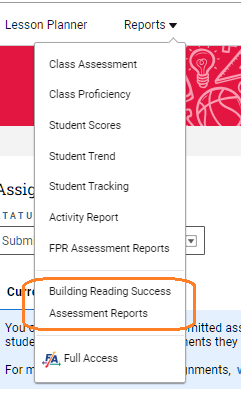
Once teachers have graded student submitted Module Placement Assessments, they can access the new Building Reading Success Assessment Reports on the reports menu.
|
|
|
There are three report types available for Building Reading Success Placement Assessment:
The Placement report provides the name of the most recent graded assessment, a recommended Module placement, and corresponding Module guidance. To view the TOC of recommended module, click on the name of the module. Scoring for each individual assessment can be viewed using the Show Placement Assessment Information link. In addition to the recommendation and scoring, there is Module Guidance that provides next steps for both Module Placement and Decodable Placement. |
|
|


| The Placement report can also be viewed by Learning Group. Students will be listed under a recommended module with next steps available.
Students can be placed in Learning Groups by using the Manage Learning Groups link. |
|
  |
|
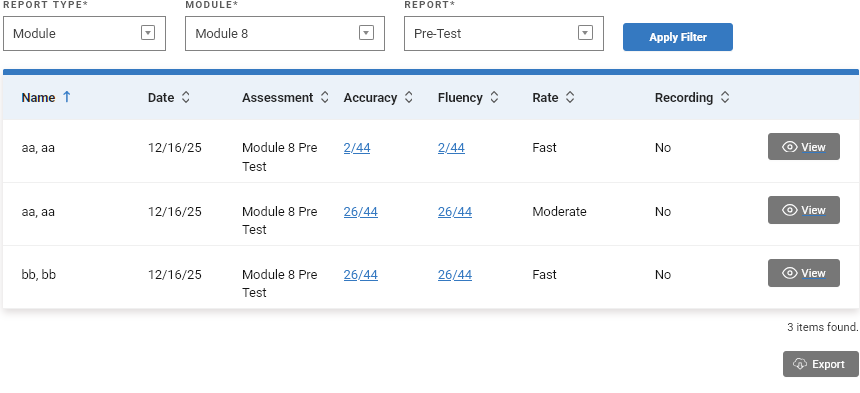
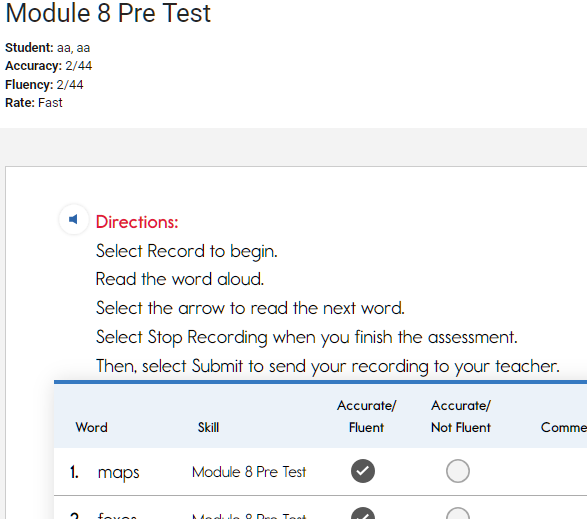
The Module report type allows the teacher to review individual student results with an opportunity to view the graded submission itself. |
|
|
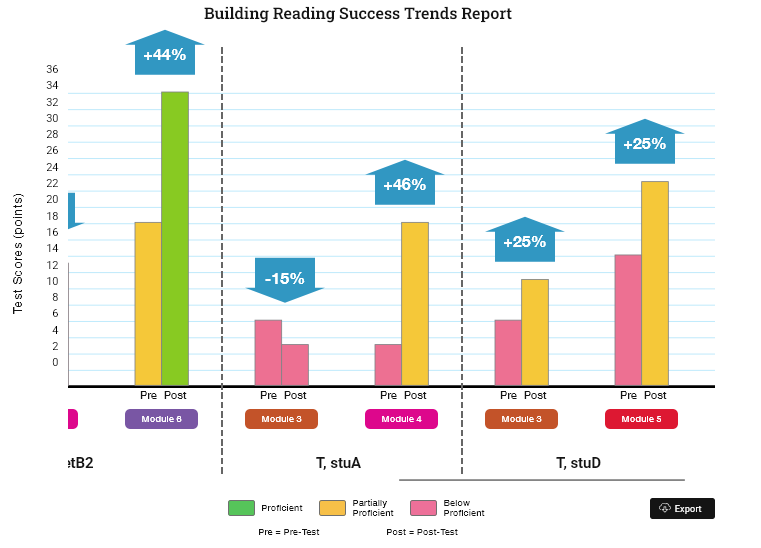
The Trends report type allows the teacher to compare Pre-Test with Post-Test scores for each student across multiple modules and identify trends to further refine instruction.
|
|
 |
|
All Report results can be exported to a CSV file. |
|
|