
Why am I unable to create an assignment past a certain end date?
Sadlier Connect assignments cannot have an end date that is after the expiration of the school's subscription licenses.
|
The Start and Due Date fields in Sadlier Connect allow future dates to be selected. |
|
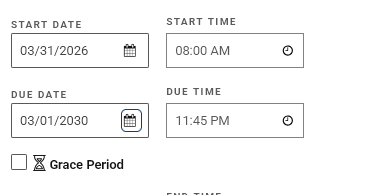 |
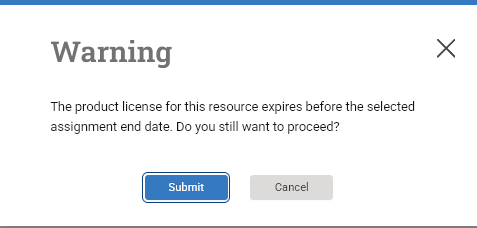
| Teachers who select an assignment end date that is after the expiration of the school's subscription licenses will receive a message upon saving the assignment.
|
|
|
If you press Submit, the end date will revert to the last day the licenses are valid. |
|
|
| You can identify a license expiration by managing licenses for the class. Access Manage Classes from the gear icon. | 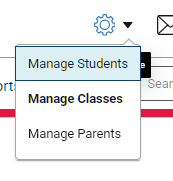 |
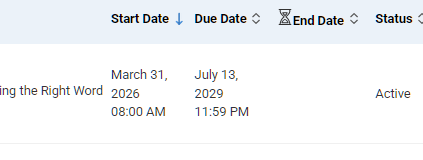
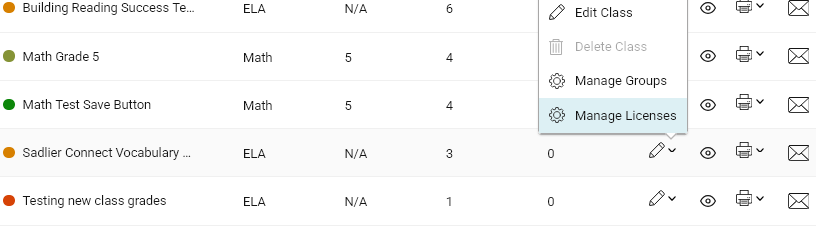
| Click the pencil icon for the class and choose Manage Licenses. |
|
 |
| You can narrow the product licenses shown by filtering by a specific program and applying the filter. | 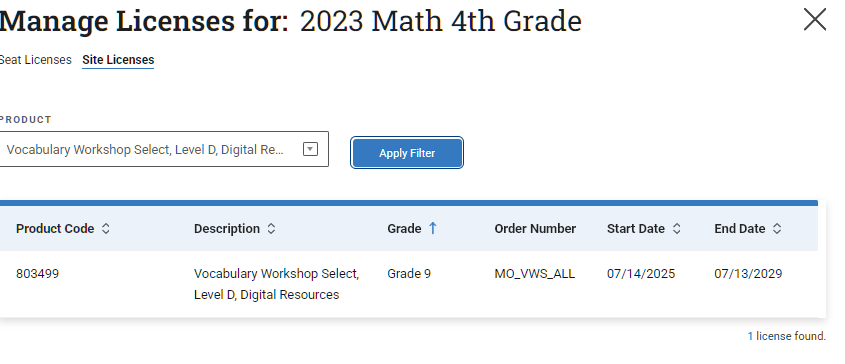 |
|
Please contact your Sadlier Connect school administrator to discuss extending licenses. |
|
|